
Resident Portal
HOA Resident Portal with Payments, Requests, and AI-Powered Answers
Give every homeowner a branded self-service portal where they can pay dues, access community documents, submit requests, and get AI-powered answers from your bylaws.
What an HOA Resident Portal Does
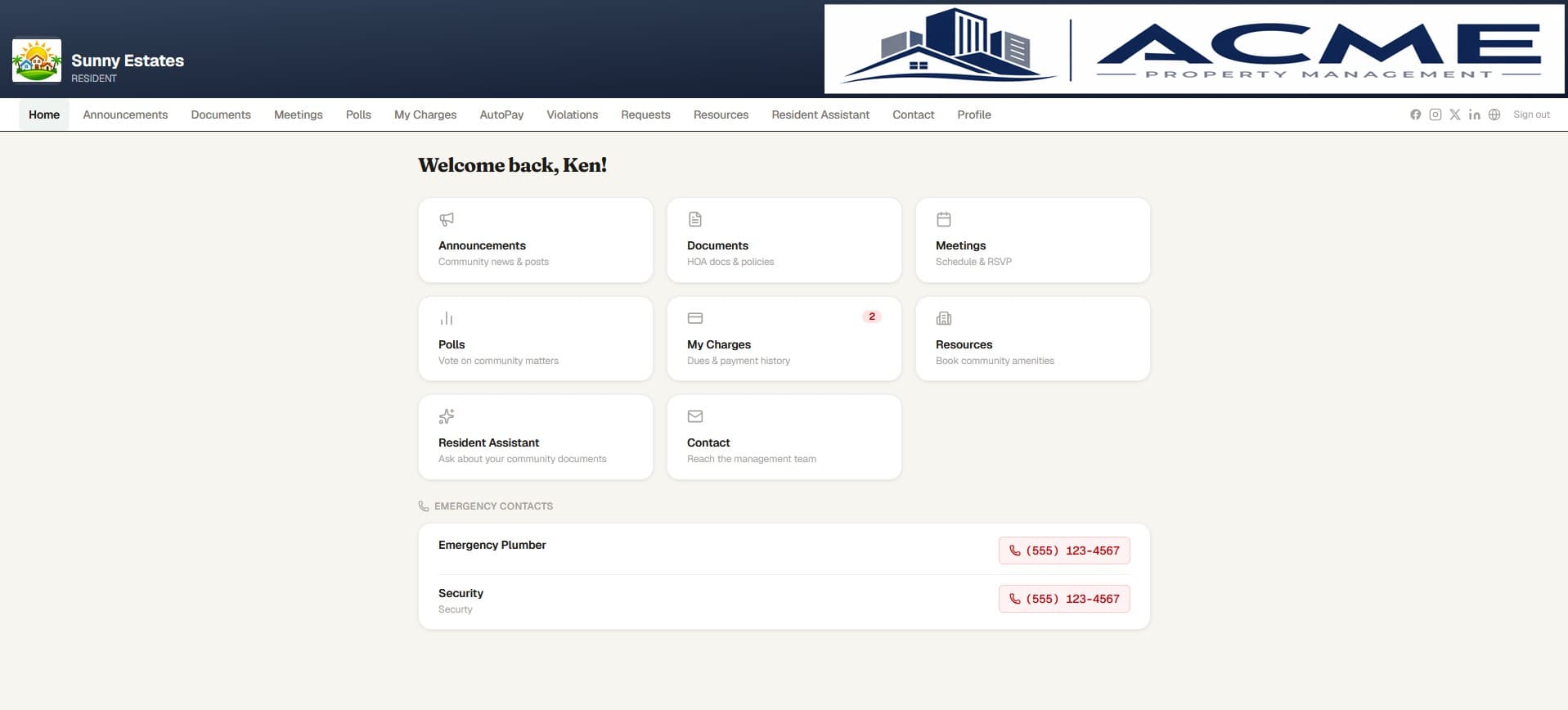
An HOA resident portal is the homeowner-facing side of your community management platform. Instead of fielding phone calls and emails about payment balances, document requests, and rule clarifications, a resident portal lets homeowners handle these tasks themselves — on their own schedule. PropMIS gives every community a branded portal where residents can view their account, make payments, access documents, reserve shared resources, and submit maintenance requests. The portal is designed to reduce the volume of routine inquiries that consume manager and board member time, while giving residents immediate access to the information they need.
- Self-service access to account balances, payment history, and community documents
- Reduces inbound calls and emails to managers and board members
- Available 24/7 — residents handle tasks on their own schedule
- Branded with your community's name, logo, and colors
- Works on desktop and mobile browsers — no app download required
Online Payments and Payment History
Dues collection is the single most common source of friction between residents and their association. The PropMIS resident portal makes paying dues straightforward: residents see their current balance, can make one-time payments via Stripe, or enroll in AutoPay to have monthly dues charged automatically. Every payment — whether made online, by check, or recorded manually by a manager — appears in the resident's payment history, so there are no disputes about what has or hasn't been paid. Late fees, special assessments, and credits all appear on the same timeline. Pricing is $99/mo per community plus $3/unit over 10, with no markup on Stripe's standard processing fees.
- One-time payments and AutoPay enrollment via Stripe
- Complete payment history including online, check, and manual payments
- Clear visibility into current balance, late fees, and special assessments
- No PropMIS markup on payment processing — standard Stripe rates apply
- Payment confirmation and receipt available immediately after payment
AI-Powered Document Q&A
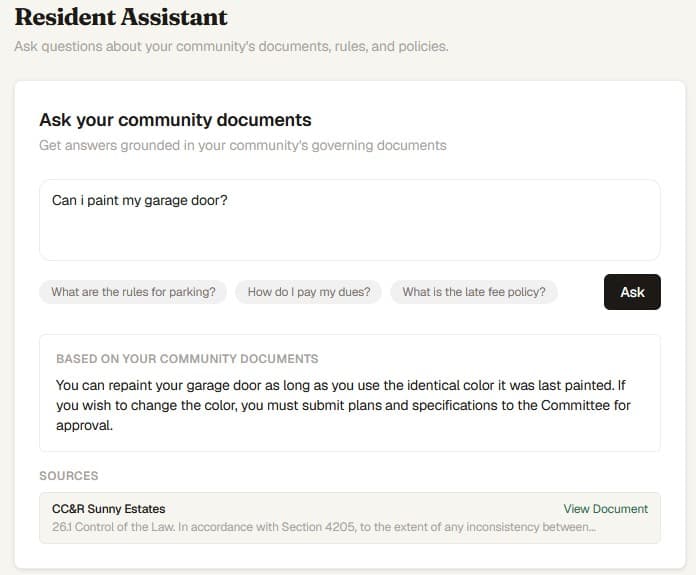
One of the most time-consuming tasks for managers and board members is answering resident questions about community rules — questions whose answers are already written in the bylaws, CC&Rs, or community guidelines. PropMIS solves this with an AI-powered document Q&A feature that lets residents ask questions in plain language and receive answers sourced directly from the community's uploaded governing documents. The system cites the specific document and section where the answer was found, so residents can verify the information themselves. This is not a generic chatbot — it only answers from your community's actual documents, which means it cannot fabricate rules or policies that do not exist.
- Residents ask questions in plain language and receive sourced answers
- Answers are pulled from your community's uploaded bylaws, CC&Rs, and rules
- Each answer cites the specific document and section for verification
- Reduces repetitive rule-clarification inquiries to managers and board members
- AI guardrails prevent fabricated answers — responses come only from your documents
Amenity Booking & Requests
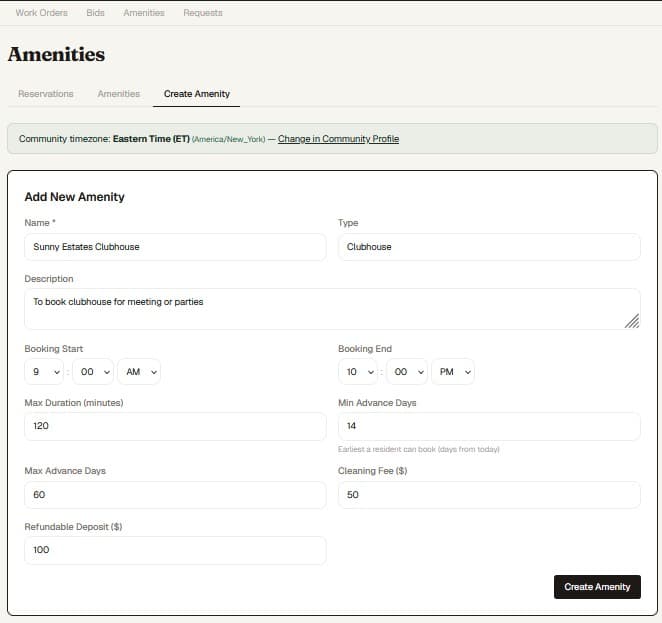
Many communities have shared amenities — clubhouses, pools, tennis courts, party rooms — that require reservation management. The PropMIS resident portal includes a reservation system where residents can view availability, request time slots, and receive confirmation. Maintenance and service requests can also be submitted through the portal, creating a tracked work order that flows through the manager's workflow. This replaces the informal email-and-spreadsheet approach that leads to double bookings, lost requests, and frustrated residents.
- Online reservations for clubhouses, pools, courts, and shared spaces
- Maintenance and service request submission with tracking
- Requests flow into the manager's work order system automatically
- Residents can check the status of their submitted requests
- Eliminates double bookings and lost reservation requests
Community Branding and Custom Portal
Every community has its own identity, and the resident portal should reflect that. PropMIS lets each community customize their portal with a logo, color scheme, welcome message, banner image, and social media links. The login page is community-branded, so residents see their community's name — not a generic software login screen. For management companies overseeing multiple communities, each community gets its own fully branded portal with isolated data, even though they are managed from the same organization dashboard. Email notifications sent to residents are also white-labeled with the community's branding.
- Custom logo, color scheme, and welcome message for each community
- Community-branded login page with banner image
- White-labeled email notifications with community branding
- Each community in a portfolio gets its own isolated, branded portal
- Social media links and community contact information displayed in the portal
Frequently Asked Questions
Common questions
Is the resident portal included in the PropMIS subscription?
Yes. The branded resident portal is included at no extra cost. PropMIS is $99/mo per community plus $3 per unit over 10, with every feature included.
Do residents need to download an app?
No. The resident portal is a web application that works on any device with a browser — desktop, tablet, or phone. No app store download is required.
Can residents pay dues through the portal?
Yes. Residents can make one-time payments or enroll in AutoPay through Stripe. Payment history for all payment types is visible in the portal.
How does the AI document Q&A work?
Residents type a question in plain language, and the AI searches your community's uploaded governing documents for the answer. It cites the source document and section. It only answers from your documents — it will not fabricate information.
Ready to modernize your community?
$99/mo per community. 45-day free trial. No credit card required.